RMA PROCEDURE
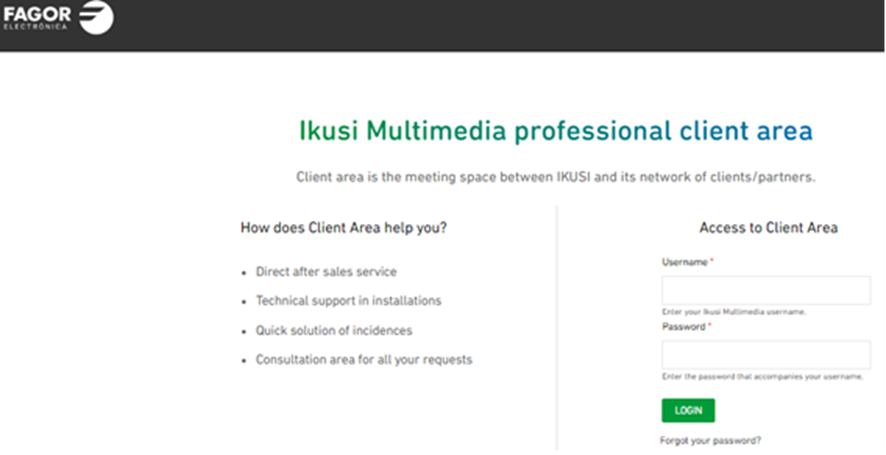
- Click on https://www.ikusi.tv/en/client-area
- Please enter username and password:
USERNAME PASSWORD
C1XXXXX XXXXXX
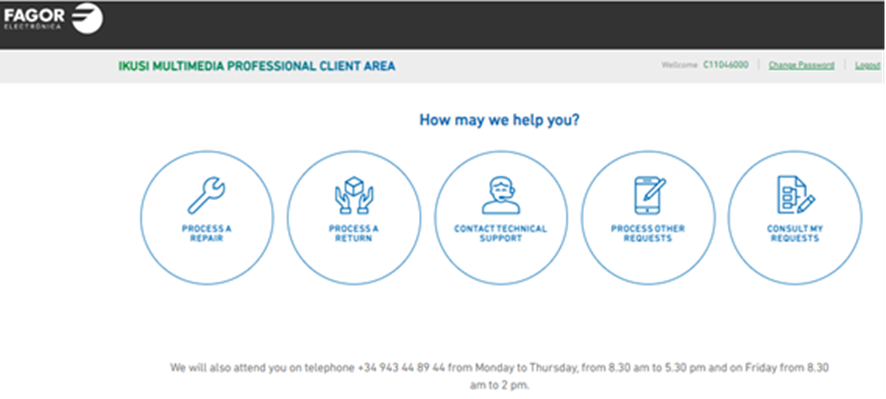
- Choose your option, in this case PROCESS A REPAIR
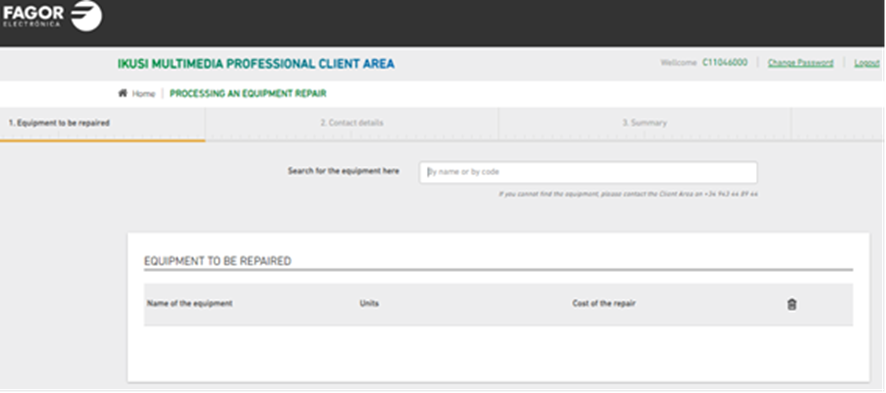
- Enter product code in the search engine at the top of the page. E.g. 3576 (NBS-895-C48)
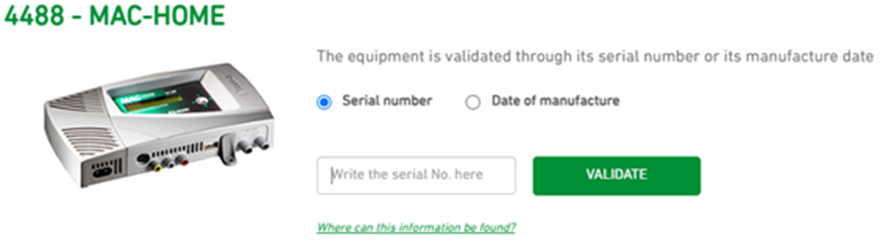
- Next, so as to validate warranty, please enter either Serial number or Date of manufacture.
You can also attach Invoice/Purchase Order.
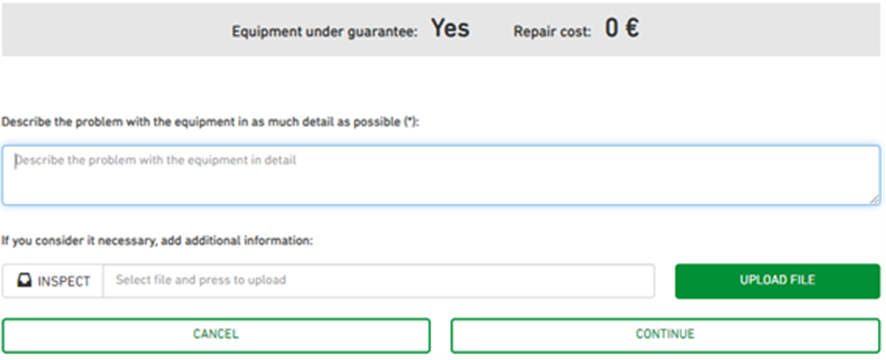
- Once validated, please explain in detail the issue with the faulty item and then click on NEXT
NOTE: If out of warranty, you will be informed the cost of repair. If agreed on, please click on NEXT
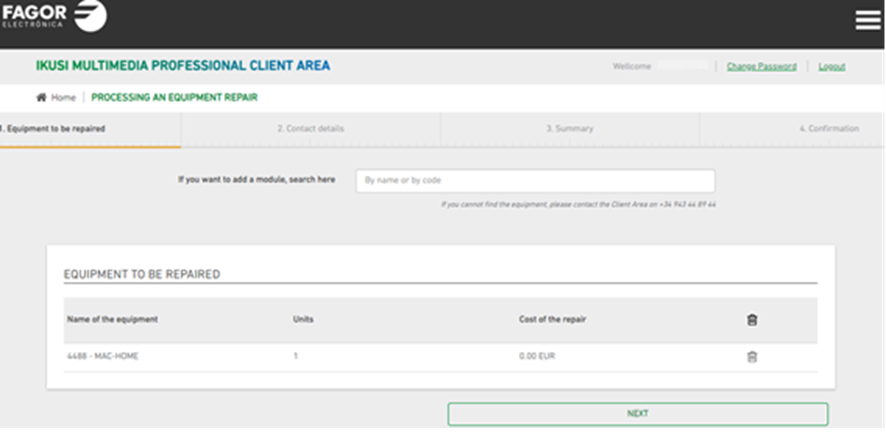
- A summary of the faulty item/s and cost of repair will show on the next screen
- If ok, just click on NEXT
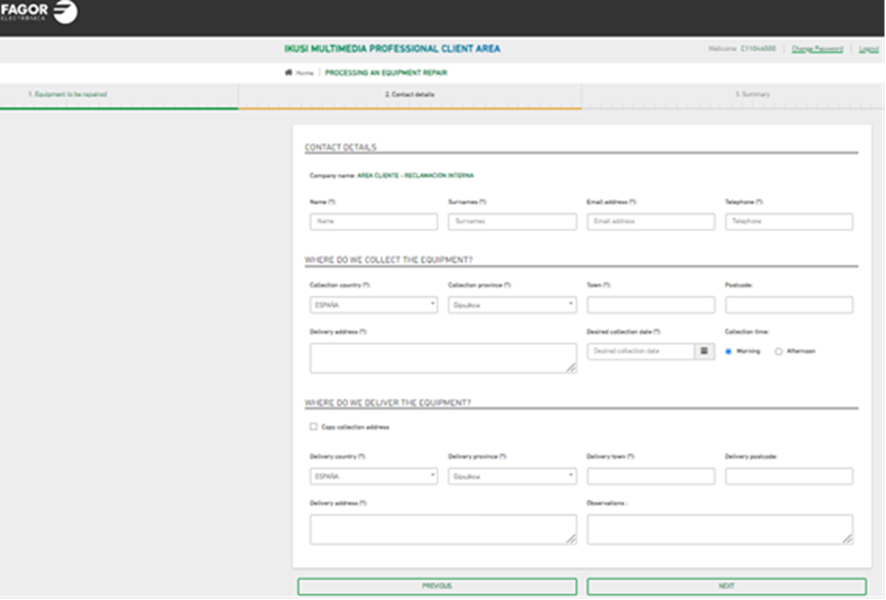
- When procedure is completed, you will get an email with the RMA number and details as well as how to proceed. Please attach the label we have provided you with to the package and send it to:
FAGOR MULTIMEDIA PERSPECTIVES
Donostia Ibilbidea 28
20115 Astigarraga-Giupuzkoa SPAIN
- Once the item has been repaired, we will send it back to the specified address.
Was this article helpful?
That’s Great!
Thank you for your feedback
Sorry! We couldn't be helpful
Thank you for your feedback
Feedback sent
We appreciate your effort and will try to fix the article